On this page
- Why cookie flags show up in so many VAPT reports
- A quick anatomy of Set-Cookie
- The Secure flag
- The HttpOnly flag
- SameSite: Strict vs Lax vs None
- Which SameSite value should you pick?
- Cookie prefixes: __Host- and __Secure-
- Expiry, Path and Domain
- Partitioned cookies (CHIPS)
- How to set secure cookie flags in your stack
- Common mistakes we find in tests
- How to check your cookies
- Cookie security checklist
- Why it matters for audits
- Frequently asked questions
Why cookie flags show up in so many VAPT reports
Cookies carry the most valuable thing in a web application: the user’s logged-in session. Whoever holds the session cookie is that user. Yet “cookie without Secure flag”, “cookie without HttpOnly flag” and “cookie without SameSite attribute” are among the most frequent findings in our web application VAPT reports.
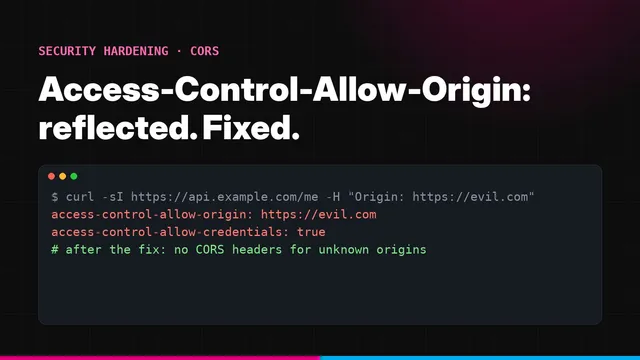
They are usually rated low to medium on their own, but they decide how bad other bugs become. A missing HttpOnly turns a cross-site scripting bug into session theft. A missing Secure turns a single unencrypted request into a stolen session. A permissive SameSite setting is often what makes cross-site request forgery or a CORS misconfiguration exploitable. Our post on fixing a reflected Origin CORS misconfiguration shows how the two interact.
The good news: these are configuration changes, usually one or two lines in your framework.
A quick anatomy of Set-Cookie
A server sets a cookie with the Set-Cookie response header. The name and value come first, followed by attributes that tell the browser how to store and send it:
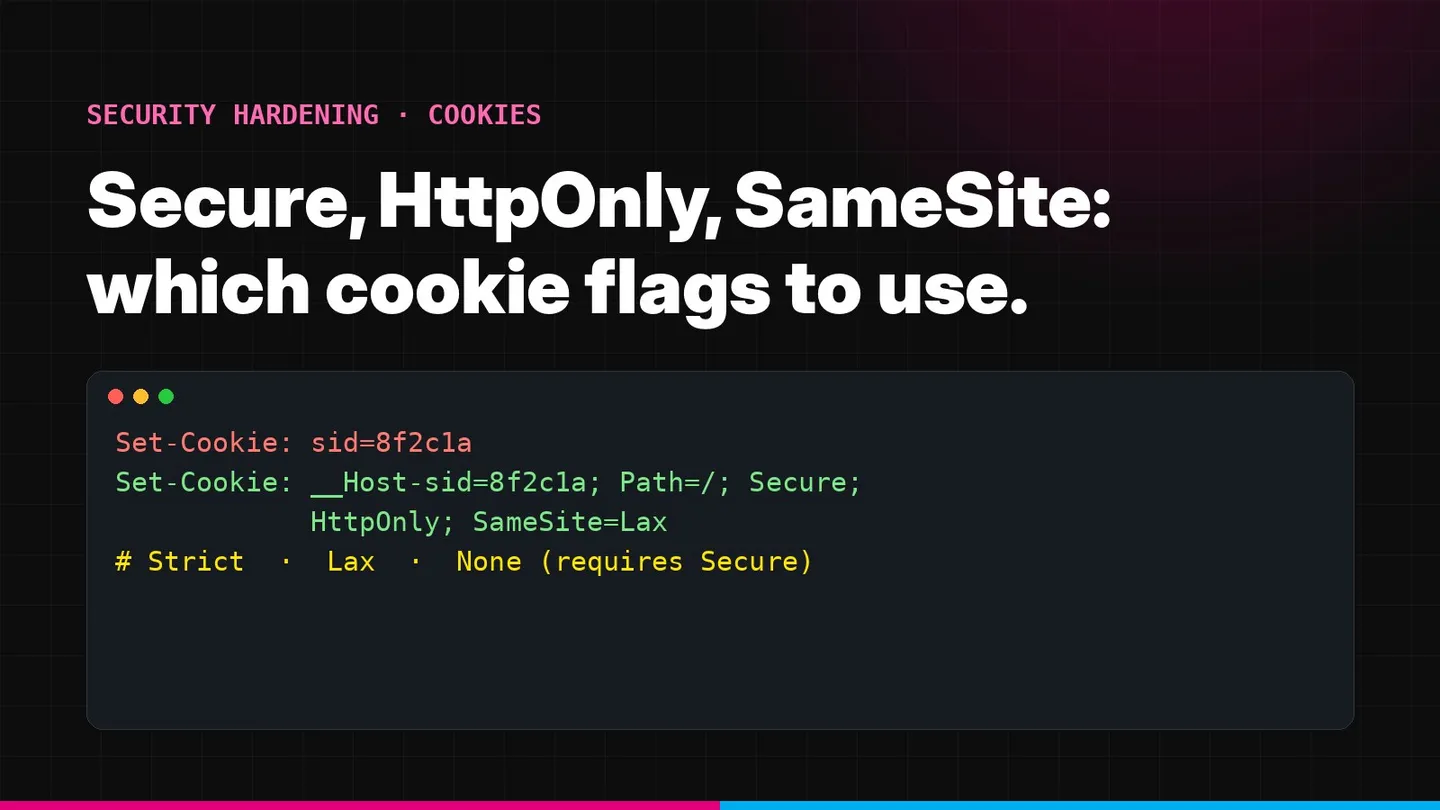
Set-Cookie: __Host-sid=8f2c1a9e; Path=/; Max-Age=28800; Secure; HttpOnly; SameSite=Lax- Secure
- Only send the cookie over HTTPS
- HttpOnly
- Do not let JavaScript read the cookie through document.cookie
- SameSite
- Control whether the cookie is sent on requests that start on other sites: Strict, Lax or None
- Path and Domain
- Which URLs and hosts receive the cookie
- Max-Age or Expires
- When the cookie expires; without either it is a session cookie that ends when the browser session ends
- __Host- / __Secure- prefix
- Name prefixes that make the browser enforce secure settings
- Partitioned
- Store the cookie separately per top-level site (for embedded third-party use)
The definitive reference is MDN’s Set-Cookie documentation. The sections below explain the security-relevant flags and what to choose.
The Secure flag
MDN describes Secure as meaning the cookie “is sent to the server only when a request is made with the https: scheme (except on localhost)”.
Without it, a single request over plain HTTP sends the cookie in clear text. That can happen more often than teams expect: an old bookmark, an http:// link in an email, an image loaded over HTTP, or a user typing the domain without https:// before your redirect kicks in. Anyone on the same network, such as public Wi-Fi or a compromised router, can read the cookie from that one request.
HSTS and Secure work together
Strict-Transport-Security tells browsers never to use HTTP for your domain, which closes most of those plain-HTTP requests. Secure makes sure the cookie stays off the wire even if one slips through. Use both.
What to pick: every cookie on an HTTPS site should be Secure. There is no good reason to leave it off in production.
The HttpOnly flag
HttpOnly stops JavaScript reading the cookie through document.cookie. MDN notes that an HttpOnly cookie “will still be sent with JavaScript-initiated requests”, so your front end keeps working; scripts simply cannot see the value.
This matters because of cross-site scripting (XSS). If an attacker manages to run script on your page, a readable session cookie can be copied and used from the attacker’s own machine, long after the user has closed the tab. With HttpOnly, that simple theft is blocked.
It is not a complete defence. Injected script can still make requests from the user’s browser while the page is open, and the browser attaches the cookie. Fixing the XSS and adding a Content Security Policy remain essential.
What to pick: HttpOnly on every session, authentication, remember-me and CSRF-protecting cookie. Leave it off only for cookies your front-end JavaScript genuinely needs to read, such as a UI theme preference, and never put anything sensitive in those.
SameSite: Strict vs Lax vs None
SameSite controls whether the browser sends a cookie on requests that start on a different site. This is your main browser-level defence against cross-site request forgery (CSRF), where another website makes the user’s browser submit a request to your application.
What “same site” means
“Site” is broader than “origin”. Two URLs are the same site when they share the same registrable domain, the part you buy from a registrar, such as example.com or example.co.uk, and modern browsers also require the same scheme (http vs https). As web.dev explains, www.web.dev and static.web.dev are the same site.
Same site
https://app.example.com and https://api.example.com share example.com, so SameSite does not restrict requests between them.
Cross-site
https://example.com and https://example-partner.com are different sites, so SameSite applies.
Cross-site (scheme)
http://example.com and https://example.com are different sites under schemeful same-site rules.
This is why SameSite does not protect you from your own subdomains. A vulnerable marketing site on blog.example.com counts as the same site as app.example.com.
The three values
According to MDN:
SameSite=Strictsends the cookie only for requests that originate from the same site that set it.SameSite=Laxdoes the same, but also sends the cookie on cross-site requests that are top-level navigations (the address bar changes) using a safe method such asGET. Cross-sitePOST,PUTandDELETErequests, and cross-site requests from scripts, images and iframes, do not get the cookie.SameSite=Nonesends the cookie with both same-site and cross-site requests. The cookie must also beSecure, otherwise browsers reject it.
Here is what that means in practice for a user logged in to app.example.com:
- User clicks a link to app.example.com in an email
- Strict: not sent. Lax: sent. None: sent.
- Another site auto-submits a POST form to app.example.com
- Strict: not sent. Lax: not sent. None: sent.
- Another site calls app.example.com with fetch or XHR
- Strict: not sent. Lax: not sent. None: sent.
- app.example.com loaded in an iframe on another site
- Strict: not sent. Lax: not sent. None: sent.
- Navigation within app.example.com
- Sent in all three cases.
What happens if you leave SameSite out
MDN notes that “some browsers use Lax as the default value if SameSite is not specified”. Chromium-based browsers such as Chrome and Edge do this, with a temporary allowance: a cookie set without SameSite is also sent on top-level cross-site POST requests made within two minutes of being set. Other browsers have different defaults. Relying on defaults means your security depends on which browser your users happen to run. Always set the attribute explicitly.
Which SameSite value should you pick?
This is the decision guide we give clients. Most applications need only the first row.
Session cookie, normal web app: Lax
Blocks cross-site form posts, fetch and iframe requests, while users who click a link to your site still arrive logged in. The right default for most SaaS products.
Banking, admin consoles, high-risk actions: Strict
Strongest protection. The trade-off is that users arriving from a link appear logged out until they navigate again, so many teams pair a Lax session cookie with a separate Strict cookie checked only on sensitive actions.
Embedded widgets, cross-site SSO, payment callbacks: None
Only when the cookie must be sent while your site is embedded in or called from another site. Must be Secure, should be Partitioned where it suits, and needs CSRF tokens because SameSite no longer helps.
CSRF token cookies: Strict or Lax
Match or exceed the session cookie. A CSRF cookie set to None removes part of the protection it exists to provide.
SameSite is not a replacement for CSRF tokens
Lax still sends cookies on cross-site GET navigations, so any state-changing GET endpoint remains exposed. And SameSite does nothing against attacks from your own subdomains. Keep your framework’s CSRF protection switched on for every state-changing request.
Cookie prefixes: __Host- and __Secure-
Prefixes are a little-known feature that makes the browser enforce your settings, even if a misconfigured server or subdomain tries to overwrite the cookie. From MDN:
__Secure-cookies must be set withSecurefrom an HTTPS page.__Host-cookies must be set withSecurefrom an HTTPS page, must not have aDomainattribute, and must havePath=/. MDN notes this “guarantees that such cookies are only sent to the host that set them, and not to any other host on the domain”.
That last point closes a real gap. Without the prefix, a compromised or careless subdomain can set a cookie for the parent domain that overrides your session cookie, a technique known as cookie tossing. With __Host-sid, the browser refuses.
What to pick: name your session cookie __Host- followed by the name, for example __Host-sid, unless you deliberately share the session across subdomains. In that case use __Secure- with an explicit Domain.
Expiry, Path and Domain
These are not security flags, but they matter:
- Keep session lifetimes short. Use a
Max-Agethat matches your idle timeout, and expire the cookie on logout by sending it again withMax-Age=0. If bothMax-AgeandExpiresare set,Max-Agewins. - Do not set
Domainunless you must. Leaving it out restricts the cookie to the exact host that set it. SettingDomain=example.comshares it with every subdomain. - Use
Path=/for session cookies. Path is not a security boundary and should not be relied on as one. - Rotate the session ID at login and when privileges change, so a session ID set before login cannot be reused afterwards.
Partitioned cookies (CHIPS)
If your product is embedded on customers’ sites, for example a chat widget or embedded dashboard, and needs a cookie there, look at the Partitioned attribute. MDN describes it as storing the cookie in partitioned storage, separately for each top-level site, which suits browsers that are restricting third-party cookies. It must be used with Secure, and usually with SameSite=None:
Set-Cookie: __Host-widget=34d8g; Path=/; Secure; HttpOnly; SameSite=None; PartitionedHow to set secure cookie flags in your stack
The examples below produce the recommended session cookie: Secure, HttpOnly, SameSite=Lax and, where the framework allows it, the __Host- prefix.
Node.js (Express and express-session)
import session from 'express-session';

app.set('trust proxy', 1); // behind a load balancer that terminates TLS
app.use(session({
  name: '__Host-sid',
  secret: process.env.SESSION_SECRET,
  resave: false,
  saveUninitialized: false,
  cookie: { secure: true, httpOnly: true, sameSite: 'lax', path: '/', maxAge: 8 * 60 * 60 * 1000 },
}));

// For any other cookie you set yourself
res.cookie('__Host-pref', 'value', { secure: true, httpOnly: true, sameSite: 'lax', path: '/' });
Without trust proxy, Express behind a TLS-terminating proxy believes the request is HTTP and will not send a Secure cookie.
Django
# settings.py
SESSION_COOKIE_NAME = "__Host-sessionid"
SESSION_COOKIE_SECURE = True
SESSION_COOKIE_HTTPONLY = True      # default
SESSION_COOKIE_SAMESITE = "Lax"     # default
CSRF_COOKIE_SECURE = True
CSRF_COOKIE_SAMESITE = "Lax"
SECURE_PROXY_SSL_HEADER = ("HTTP_X_FORWARDED_PROTO", "https")  # only if your proxy sets it
PHP
; php.ini (PHP 7.3 or later)
session.cookie_secure = 1
session.cookie_httponly = 1
session.cookie_samesite = "Lax"
session.use_strict_mode = 1setcookie('__Host-pref', 'value', [
'expires' => time() + 3600,
'path' => '/',
'secure' => true,
'httponly' => true,
'samesite' => 'Lax',
]);ASP.NET Core
builder.Services.Configure<CookiePolicyOptions>(options =>
{
    options.MinimumSameSitePolicy = SameSiteMode.Lax;
    options.HttpOnly = Microsoft.AspNetCore.CookiePolicy.HttpOnlyPolicy.Always;
    options.Secure = CookieSecurePolicy.Always;
});

builder.Services.AddSession(options =>
{
    options.Cookie.Name = "__Host-session";
    options.Cookie.SecurePolicy = CookieSecurePolicy.Always;
    options.Cookie.HttpOnly = true;
    options.Cookie.SameSite = SameSiteMode.Lax;
});

app.UseCookiePolicy();
ASP.NET on the .NET Framework (IIS)
<system.web>
  <httpCookies requireSSL="true" httpOnlyCookies="true" sameSite="Lax" />
  <sessionState cookieSameSite="Lax" />
  <authentication mode="Forms">
    <forms requireSSL="true" cookieSameSite="Lax" />
  </authentication>
</system.web>
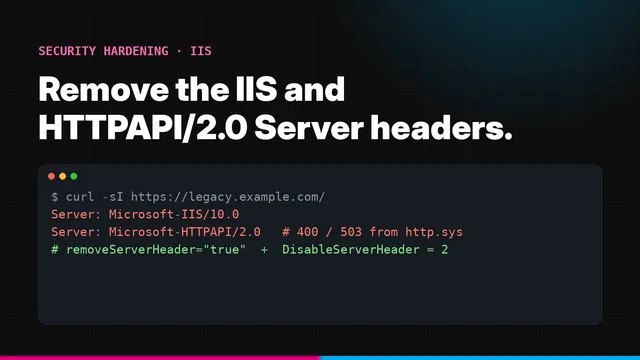
The sameSite attributes need .NET Framework 4.7.2 or later. If you also need to remove IIS version headers, see our guide to removing the IIS Server header.
Java (Spring Boot)
# application.properties
server.servlet.session.cookie.secure=true
server.servlet.session.cookie.http-only=true
server.servlet.session.cookie.same-site=lax
server.servlet.session.cookie.name=__Host-SESSION
server.servlet.session.cookie.path=/
At the reverse proxy (when you cannot change the application)
If a legacy application sets weak cookies and you cannot change its code, the proxy in front of it can add the flags. In Nginx 1.19.3 and later:
location / {
    proxy_pass http://legacy_app;
    proxy_cookie_flags ~ secure httponly samesite=lax;
}
Treat this as a stopgap. Fix the application when you can, because a proxy rule cannot rename cookies to add a prefix and is easy to lose in a migration.
Common mistakes we find in tests
Even teams that know about these flags get caught by the same few problems:
Flags on the session cookie, not the others
The framework session cookie is hardened, but a hand-written remember-me cookie, a JWT stored in a cookie or a load-balancer stickiness cookie is not.
Secure lost behind a proxy
TLS ends at the load balancer, the application sees plain HTTP and silently drops the Secure flag. Configure trusted proxy headers so the app knows the original request was HTTPS.
SameSite=None everywhere
Set once to fix an embedded widget or single sign-on flow, then copied to every cookie. Only the cookies that really need cross-site use should be None.
Tokens in localStorage instead
Moving an access token out of cookies into localStorage to avoid CSRF trades it for XSS exposure, because any script on the page can read localStorage. An HttpOnly cookie with SameSite and CSRF protection is usually the safer pattern.
Logout that does not log out
The cookie is deleted in the browser but the session stays valid on the server, so a copied cookie keeps working. Invalidate the session server-side as well.
Domain set to the parent
Domain=example.com shares the session with every subdomain, including ones run by third parties for marketing, support or status pages.
How to check your cookies
In the browser: open developer tools, go to Application (Chrome, Edge) or Storage (Firefox), then Cookies. The Secure, HttpOnly and SameSite columns show each cookie’s settings. Log in first, because session cookies usually appear only after login.
From the command line:
# Show every cookie the login response sets
curl -s -o /dev/null -D - -X POST https://app.example.com/login \
  -d 'username=test&password=…' | grep -i '^set-cookie'
Check each Set-Cookie line for Secure, HttpOnly and an explicit SameSite. Repeat for logout, password change and any “remember me” flow, because those often set cookies through different code.
Done when
Every authentication-related cookie has Secure, HttpOnly and an explicit SameSite, the session cookie uses the __Host- prefix or has a documented reason not to, any SameSite=None cookie is Secure and backed by CSRF protection, and logout clears the session cookie.
Cookie security checklist
Secureon every cookie in production, plus HSTS on the domainHttpOnlyon every session, authentication and CSRF cookie- An explicit
SameSitevalue on every cookie:Laxby default,Strictfor high-risk apps,Noneonly when required __Host-prefix on the session cookie, noDomainattribute- Session ID rotated at login and privilege changes, cleared at logout
- Short idle and absolute session timeouts
- CSRF protection still enabled for state-changing requests
- No sensitive data stored in cookies readable by JavaScript
Why it matters for audits
Session management is a core control in PCI DSS, SOC 2 and ISO 27001 assessments, and weak cookie settings are among the first things an assessor’s scanner reports. They are also a common thread in the access-control and session failures covered in our OWASP Top 10 guide. Closing them is quick, and it removes a whole category of findings from your next report.
Want your session handling tested properly?
Scanners report missing flags. A manual test shows whether they matter: whether sessions can be fixed, reused after logout, shared across subdomains or forged cross-site. Summit’s web application VAPT covers all of it and re-tests your fixes.
Frequently asked questions
What is the difference between SameSite Strict and Lax?
Strict never sends the cookie on requests that start from another site, including when a user clicks a link to you from an email or search result. Lax also blocks cross-site requests, except top-level navigations with safe methods such as GET, so following a link still sends the cookie and the user arrives logged in.
Which SameSite value should a session cookie use?
Lax is the right default for most session cookies: it blocks cookies on cross-site form posts, fetch and XHR, and keeps users logged in when they arrive from a link. Use Strict for high-risk applications such as banking and admin consoles, often by adding a second Strict cookie for sensitive actions. Use None only when the cookie must work inside another site.
What happens if I do not set SameSite at all?
Chromium-based browsers such as Chrome and Edge treat it as Lax, with a short exception that allows top-level POST requests within two minutes of the cookie being set. Other browsers behave differently, so always set SameSite explicitly rather than relying on defaults.
Does SameSite replace CSRF tokens?
No. SameSite=Lax or Strict blocks most cross-site request forgery, but it does not protect against attacks from sibling subdomains, which count as the same site, or against state-changing GET requests under Lax. Keep CSRF tokens or equivalent framework protection for state-changing requests.
Why must SameSite=None cookies also be Secure?
Browsers reject SameSite=None cookies that are not marked Secure. Cookies that are sent across sites must at least travel only over HTTPS so they cannot be read or changed on the network.
Is HttpOnly enough to stop session hijacking through XSS?
It stops scripts reading the cookie value, which blocks the simplest theft. It does not stop injected script from making requests in the user's session, because the browser still attaches the cookie. Fixing the XSS itself and adding a Content Security Policy are still needed.