On this page
- What we observed during today’s test
- How CORS is supposed to work
- Why a reflected Origin is a problem
- How serious is it in your case?
- Related CORS misconfigurations to check at the same time
- Why this keeps happening
- CORS is not access control
- How to fix a CORS misconfiguration
- How to test the fix
- Fix it now or later? A practical order of work
- Stop it coming back
- Why this matters for audits
- Frequently asked questions
What we observed during today’s test
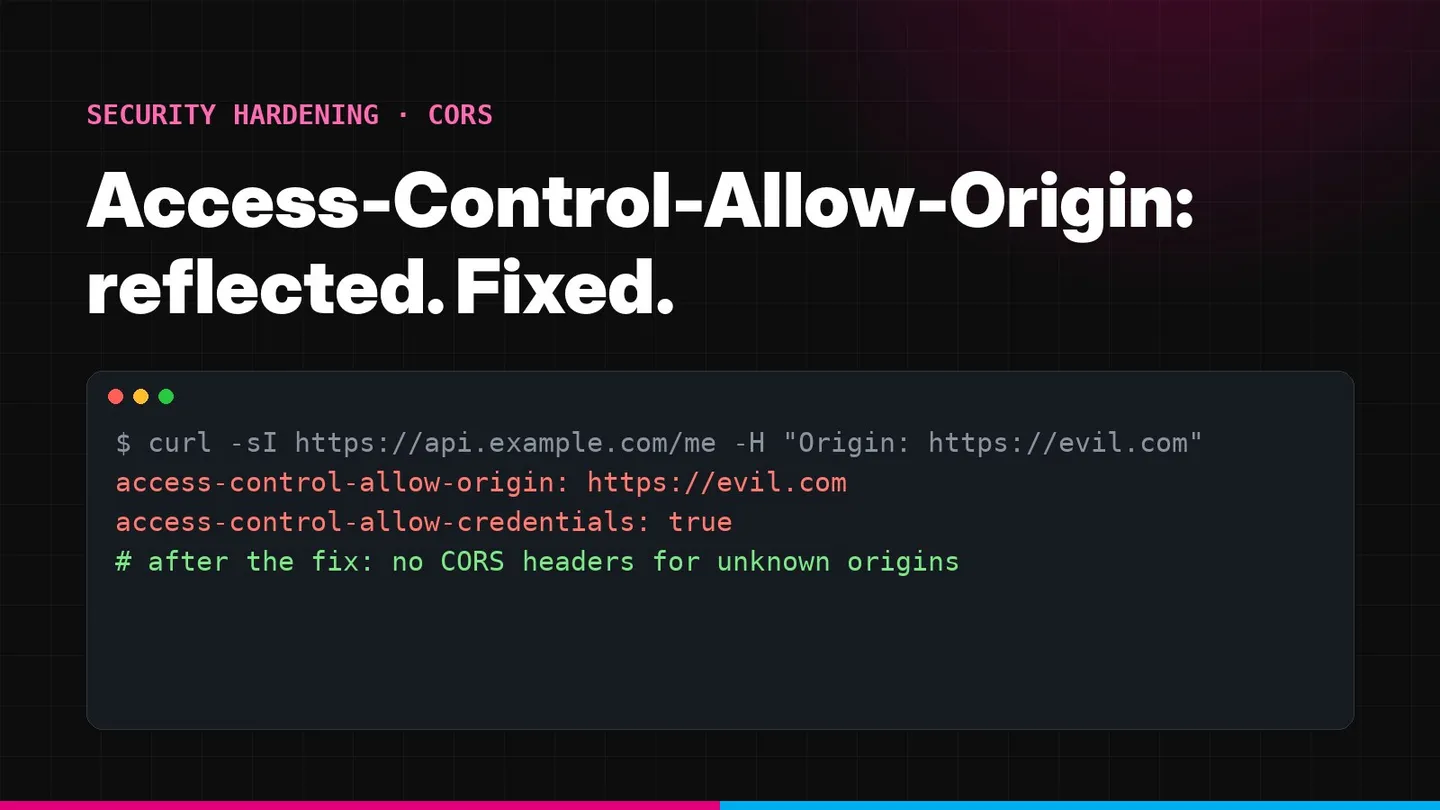
During an API penetration test for a client today, one of our testers repeated a normal authenticated request with one header changed: Origin: https://evil.com. The API answered with that exact value in Access-Control-Allow-Origin, and with Access-Control-Allow-Credentials: true alongside it.
GET /api/v1/account/profile HTTP/1.1
Host: api.client-app.com
Origin: https://evil.com

HTTP/1.1 200 OK
Content-Type: application/json
Access-Control-Allow-Origin: https://evil.com
Access-Control-Allow-Credentials: true
evil.com is simply a placeholder for “a domain the client has never heard of”. The server was not checking the Origin at all; it was copying it. That single pattern switches off the browser’s main cross-origin protection for the whole API.
It is one of the most common CORS misconfigurations we report, and it usually arrives the same way. A developer hits a CORS error in local development, finds a snippet that makes the error disappear, and the snippet reflects the request’s Origin. It works, the ticket closes, and the setting ships to production unchanged.
How CORS is supposed to work
Browsers enforce the same-origin policy. JavaScript running on https://shop.example can send a request to https://api.other.example, but it cannot read the response. An origin is the combination of scheme, host and port, so https://app.example.com and https://api.example.com are different origins, and so are http:// and https:// versions of the same host.
Cross-Origin Resource Sharing (CORS) is how a server relaxes that rule deliberately. When a script makes a cross-origin request, the browser adds an Origin header naming the site the script came from. The server responds with Access-Control-Allow-Origin. If the value matches the requesting origin, the browser lets the script read the response. If it does not, the browser withholds it.
Several response headers control how much is shared:
- Access-Control-Allow-Origin
- The one origin allowed to read this response, or * for public resources
- Access-Control-Allow-Credentials
- When true, cookies and HTTP authentication are sent and the response is shared with the script
- Access-Control-Allow-Methods
- Methods allowed after a preflight, for example GET, POST, PUT
- Access-Control-Allow-Headers
- Request headers a script may send, for example Content-Type and Authorization
- Access-Control-Expose-Headers
- Response headers a script may read beyond the safe defaults
- Access-Control-Max-Age
- How long the browser may cache a preflight result, in seconds
For requests that are not “simple”, such as a PUT or a request with a JSON Content-Type, the browser first sends an OPTIONS preflight and only continues if the answer allows it.
The key idea: CORS does not protect your server from anyone. It is your server telling browsers which other websites it trusts with its users’ data. Reflecting the Origin tells browsers it trusts everyone.
Why a reflected Origin is a problem
The MDN CORS guide explains that for credentialed requests the server “must not specify the * wildcard” for Access-Control-Allow-Origin and must name an explicit origin. Teams that need cookies to work across origins discover that * fails, so they echo the incoming Origin instead. That satisfies the browser’s check for every site, including hostile ones.
When the response also allows credentials and the API authenticates with cookies, a page on an unrelated domain that a logged-in user happens to visit may be able to read that user’s API responses. PortSwigger’s write-up on CORS describes this class of issue in detail and notes the deciding factor: without Access-Control-Allow-Credentials: true, the browser does not send the user’s cookies, so other sites can only see what is already public.
What is at risk
Anything the API returns to a logged-in user: profile and contact details, invoices, API keys shown on settings pages, and CSRF tokens, which would undermine your CSRF protection. On admin APIs the exposure can cover every customer.
How serious is it in your case?
Severity depends on a few facts you can check quickly. This is the way we rate the finding in our VAPT reports:
High to critical
Origin reflected, credentials allowed, session cookies sent cross-site (SameSite=None), and sensitive data or state-changing endpoints behind them.
Medium
Origin reflected with credentials, but cookies are SameSite=Lax or Strict. Other sites are largely blocked, yet any sibling subdomain you do not fully control becomes a path to the data.
Low
Origin reflected without credentials, or the API only accepts a bearer token kept in memory. Other sites can read only what an anonymous request returns.
Informational
Reflection only on public, unauthenticated endpoints that return nothing sensitive. Still worth fixing so the pattern does not spread.
Why SameSite matters here
Chromium-based browsers treat cookies without a SameSite attribute as Lax, and Lax cookies are not attached to cross-site fetch or XHR calls. That is why some reflected-Origin findings turn out lower risk than they first look. It is a safety net, not a fix: cookies explicitly set to SameSite=None lose it, and browsers treat a.example.com and b.example.com as the same site. Our guide to secure cookie flags and SameSite covers this in depth.
Related CORS misconfigurations to check at the same time
The reflected Origin is the most blatant version. While you are fixing it, look for these too, because they often sit in the same code:
- Trusting
null. Some allowlists include the literal originnull, which browsers send from sandboxed iframes, local files and some redirects. Treatnullas untrusted. - Suffix matching. A check like “origin ends with
example.com” also acceptsnotexample.com. Match the full origin, or anchor the pattern to a dot and the end of the string. - Prefix matching. “Origin starts with
https://example.com” also acceptshttps://example.com.attacker.net. - Unescaped dots in regular expressions.
^https://app.example.com$matcheshttps://appXexample.combecause.matches any character. Escape it:app\.example\.com. - Allowing
http://origins. An allowed plain-HTTP origin can be impersonated on hostile networks. Allow onlyhttps://in production. - Trusting every subdomain.
*.example.comincludes forgotten marketing sites, staging hosts and anything vulnerable to subdomain takeover. - Developer origins in production.
http://localhost:3000belongs in development configuration only.
Why this keeps happening
In our experience the reflected Origin almost never comes from a deliberate decision. It comes from one of a handful of shortcuts:
The copy-pasted fix
A forum answer sets Access-Control-Allow-Origin to the request Origin to silence a browser error. It works locally, so it ships.
Framework allow-all switches
Options such as origin: true, CORS_ALLOW_ALL_ORIGINS or allowed origin patterns of * look harmless until credentials are switched on next to them.
Multiple front ends
A product with web, admin, partner and preview domains outgrows a fixed list, and someone replaces the list with reflection instead of maintaining it.
Proxy and gateway defaults
An API gateway or ingress template adds permissive CORS for every route, including routes the application team assumed were private.
The common thread is that CORS errors are loud and CORS mistakes are silent. A broken policy produces red errors in the developer console and blocks the release. An over-permissive policy produces no error at all, so nobody notices until a penetration test or an incident.
CORS is not access control
One misunderstanding is worth correcting before the fix, because it leads teams to under- or over-react.
CORS only governs what browsers allow scripts on other websites to read. It does not stop anyone from calling your API directly. curl, Postman, a mobile app or a server-side script ignores CORS headers completely. So:
- A strict CORS policy does not protect an endpoint that lacks authentication or authorisation. Every endpoint still needs server-side checks on who the caller is and what they may access; our IDOR case study shows what happens when that is missing.
- A permissive CORS policy is dangerous specifically because it lets other websites use your logged-in users’ browsers as the client, carrying their cookies.
- CORS and CSRF protection solve different problems. CORS controls who may read responses; CSRF protection controls who may trigger state-changing requests. You need both.
How to fix a CORS misconfiguration
The rule is the same in every framework:
- Keep an explicit allowlist of full origins (scheme, host and port), for example
https://app.example.com. - Compare the incoming
Originagainst the list with an exact string match. - If it matches, return that origin in
Access-Control-Allow-Originand, only if you need cookies,Access-Control-Allow-Credentials: true. - If it does not match, return no CORS headers. Do not return an error page that still includes them.
- Always add
Vary: Originwhen the response depends on the Origin. - Keep the allowed methods and headers to what the front end actually uses.
Below is the secure version for the stacks we see most often. Replace the example origins with your own.
Nginx
A map block gives an exact allowlist without if statements. When the origin is not in the list, the variable is empty and Nginx does not send the header at all.
# http {} context
map $http_origin $cors_origin {
    default                     "";
    "https://app.example.com"   $http_origin;
    "https://admin.example.com" $http_origin;
}

server {
    location /api/ {
        add_header Access-Control-Allow-Origin      $cors_origin always;
        add_header Access-Control-Allow-Credentials "true" always;
        add_header Vary                              "Origin" always;

        if ($request_method = OPTIONS) {
            add_header Access-Control-Allow-Origin      $cors_origin always;
            add_header Access-Control-Allow-Credentials "true" always;
            add_header Access-Control-Allow-Methods     "GET, POST, PUT, DELETE" always;
            add_header Access-Control-Allow-Headers     "Content-Type, Authorization" always;
            add_header Access-Control-Max-Age           "600" always;
            add_header Vary                              "Origin" always;
            return 204;
        }
        proxy_pass http://app_upstream;
    }
}
Search your Nginx configuration for $http_origin used directly in add_header Access-Control-Allow-Origin. That line is the reflection.
Only send Access-Control-Allow-Credentials: true together with an allowlisted origin. If credentials are not needed, leave that header out entirely.
Apache httpd
<IfModule mod_headers.c>
  SetEnvIf Origin "^https://(app|admin)\.example\.com$" CORS_ORIGIN=$0
  Header always set Access-Control-Allow-Origin "%{CORS_ORIGIN}e" env=CORS_ORIGIN
  Header always set Access-Control-Allow-Credentials "true" env=CORS_ORIGIN
  Header always merge Vary "Origin"
</IfModule>
The pattern is anchored at both ends and the dots are escaped, so look-alike domains do not match.
Node.js with Express and the cors package
The cors package reflects the request origin when you pass origin: true. That is the setting we find most often behind this issue. Use an array or a function instead:
import cors from 'cors';

const ALLOWED = new Set(['https://app.example.com', 'https://admin.example.com']);

app.use(cors({
  origin(origin, callback) {
    // Requests without an Origin header (server-to-server, curl) get no CORS headers
    if (!origin) return callback(null, false);
    callback(null, ALLOWED.has(origin));
  },
  credentials: true,
  methods: ['GET', 'POST', 'PUT', 'DELETE'],
  allowedHeaders: ['Content-Type', 'Authorization'],
  maxAge: 600,
}));
Also search the codebase for hand-written headers such as res.setHeader('Access-Control-Allow-Origin', req.headers.origin).
Spring Boot
@Bean
CorsConfigurationSource corsConfigurationSource() {
    CorsConfiguration config = new CorsConfiguration();
    config.setAllowedOrigins(List.of("https://app.example.com", "https://admin.example.com"));
    config.setAllowedMethods(List.of("GET", "POST", "PUT", "DELETE"));
    config.setAllowedHeaders(List.of("Content-Type", "Authorization"));
    config.setAllowCredentials(true);
    config.setMaxAge(600L);
    UrlBasedCorsConfigurationSource source = new UrlBasedCorsConfigurationSource();
    source.registerCorsConfiguration("/api/**", config);
    return source;
}
Watch for setAllowedOriginPatterns(List.of("*")) combined with setAllowCredentials(true). Spring then answers every origin with its own value, which behaves exactly like reflection.
ASP.NET Core
builder.Services.AddCors(options =>
{
    options.AddPolicy("Frontend", policy => policy
        .WithOrigins("https://app.example.com", "https://admin.example.com")
        .WithMethods("GET", "POST", "PUT", "DELETE")
        .WithHeaders("Content-Type", "Authorization")
        .AllowCredentials());
});

app.UseCors("Frontend");
SetIsOriginAllowed(_ => true) together with AllowCredentials() is the ASP.NET Core version of the reflected Origin. Replace it with WithOrigins.
Django and Flask
With django-cors-headers, list the origins and avoid the allow-all switch:
# settings.py
CORS_ALLOWED_ORIGINS = [
    "https://app.example.com",
    "https://admin.example.com",
]
CORS_ALLOW_CREDENTIALS = True
# Never in production together with credentials:
# CORS_ALLOW_ALL_ORIGINS = True
With Flask-CORS:
from flask_cors import CORS

CORS(app,
     resources={r"/api/*": {"origins": ["https://app.example.com", "https://admin.example.com"]}},
     supports_credentials=True)
Allowing many subdomains safely
Some products genuinely need dozens of origins, for example one subdomain per customer such as acme.app.example.com. Do not fall back to reflection. Use a single anchored pattern and keep it as strict as possible:
// Matches https://<one-label>.app.example.com and nothing else
const TENANT_ORIGIN = /^https:\/\/[a-z0-9-]{1,63}\.app\.example\.com$/;

function isAllowedOrigin(origin) {
  return origin === 'https://app.example.com' || TENANT_ORIGIN.test(origin);
}
The ^ and $ anchors stop prefix and suffix tricks, the escaped dots stop look-alike hosts, the character class stops nested subdomains, and requiring https:// rules out plain HTTP. Remember that every host matching the pattern is now trusted with your users’ data, so each one must be under your control and covered by the same security standards as the main application.
API gateways and CDNs
If CORS headers are added by AWS API Gateway, Azure API Management, Cloudflare or another edge service, fix them there as well. We often find the application fixed while the gateway still adds a permissive policy, or both layers add headers and the response ends up with two Access-Control-Allow-Origin values, which browsers reject. Decide on one layer that owns CORS and remove it from the others. A cloud security assessment reviews these edge configurations alongside the application.
How to test the fix
You do not need special tools. These curl checks confirm the policy from the outside. Run them against an endpoint that normally requires a session.
# 1. An unknown origin must get NO Access-Control-Allow-Origin header
curl -s -o /dev/null -D - https://api.example.com/api/v1/account/profile \
  -H "Origin: https://evil.com" | grep -i '^access-control'

# 2. A trusted origin must get its own value back, plus Vary: Origin
curl -s -o /dev/null -D - https://api.example.com/api/v1/account/profile \
  -H "Origin: https://app.example.com" | grep -iE '^(access-control|vary)'

# 3. Look-alikes and null must also be refused
for o in null https://notexample.com https://app.example.com.evil.com http://app.example.com; do
  echo "== $o"; curl -s -o /dev/null -D - https://api.example.com/api/v1/account/profile \
    -H "Origin: $o" | grep -i '^access-control-allow-origin'
done
Expected results: tests 1 and 3 print nothing; test 2 prints your trusted origin and vary: Origin. Repeat the checks for an OPTIONS preflight, because some frameworks handle preflights in a different code path.
Done when
Unknown, look-alike and null origins receive no CORS headers. Trusted origins receive their own value, Vary: Origin is present, and Access-Control-Allow-Credentials: true appears only next to an allowlisted origin.
Fix it now or later? A practical order of work
If you received this finding in a report today, this is the order we recommend:
- Confirm the impact in an hour. Check whether the affected responses include
Access-Control-Allow-Credentials: true, how your session cookies are set (SameSitevalue) and which endpoints return sensitive data. That tells you whether this is an urgent fix or a planned one. - Ship the allowlist. In most stacks the change is a few lines. Deploy it to staging, run the
curlchecks, and check that every legitimate front end still works. - Fix the edge. Review the API gateway, CDN and ingress configuration for their own CORS settings, and remove duplicates.
- Look for the pattern elsewhere. Search every repository for
Access-Control-Allow-Origin,origin: true,$http_originand allow-all switches. Teams that make this mistake once usually make it in several services. - Ask for a re-test. An independent re-test closes the finding in your report and gives auditors evidence that it was remediated.
Stop it coming back
CORS settings drift. A new service copies an old configuration, or someone adds localhost during an incident and never removes it. A few habits keep the fix in place:
- Keep the allowlist in one configuration value per environment, not scattered across services.
- Add the
curlchecks above to your CI pipeline or smoke tests so a regression fails the build. - Review CORS whenever you add a new front end, partner integration or subdomain.
- Prefer same-origin architectures where you can, for example serving the API under
https://app.example.com/api/so that no CORS is needed at all. - Give CORS changes the same code review as authentication changes, because that is what they are.
Why this matters for audits
Auditors and enterprise security questionnaires increasingly ask for evidence of API testing, and a permissive CORS policy is a finding that maps directly to access-control requirements in SOC 2 and ISO 27001 assessments, and to OWASP’s guidance on security misconfiguration covered in our OWASP Top 10 guide. It is also quick to fix, which makes it an easy win to close before your next report.
Not sure how your APIs behave?
Reflected origins, loose regular expressions and gateway-level policies are easy to miss in code review and hard for scanners to rate correctly. Summit’s API security testing checks every endpoint’s CORS behaviour with real sessions, rates the actual impact and re-tests your fix.
Frequently asked questions
What is a reflected Origin CORS misconfiguration?
It is when a server copies whatever value arrives in the request's Origin header into the Access-Control-Allow-Origin response header. The browser then treats every website as trusted, so pages on unrelated domains may be allowed to read the API's responses.
Is a reflected Origin always high severity?
No. It is serious when the response also contains Access-Control-Allow-Credentials: true and the API relies on cookies the browser attaches automatically, because logged-in users' data becomes readable by other sites. Without credentials, the exposure is usually limited to data that is already public, and the finding is rated lower.
Can I use Access-Control-Allow-Origin: * instead?
Only for genuinely public, unauthenticated resources. Browsers refuse to share a response marked with the wildcard when the request includes credentials, so the wildcard cannot be used for authenticated cross-origin calls. For those you need an exact allowlist.
Does SameSite=Lax on session cookies make this safe?
It reduces the risk a lot, because Lax cookies are not sent on cross-site fetch or XHR requests. It does not help when cookies are set with SameSite=None, or when the untrusted origin is a sibling subdomain, which browsers treat as the same site. Fix the CORS policy as well.
Why do I need Vary: Origin?
When the Access-Control-Allow-Origin value changes per request, a CDN or browser cache could serve a response prepared for one origin to another. Vary: Origin tells caches to keep a separate copy per Origin value.