On this page
- Why this header keeps appearing in VAPT reports
- Where each header comes from
- Step 1: Remove the IIS Server header (IIS 10)
- Step 2: Remove Microsoft-HTTPAPI/2.0 (HTTP.sys)
- Step 3: Remove X-Powered-By and the ASP.NET version headers
- Older IIS versions (8.5 and earlier)
- Stop HTTP.sys answering unknown host names
- Check every server in your estate
- Microsoft products that run on IIS
- ASP.NET Core applications
- Azure and load balancers in front of IIS
- Verify the fix
- The rest of your IIS hardening checklist
- Does hiding the Server header actually make you safer?
- Why it matters for audits
- Frequently asked questions
Why this header keeps appearing in VAPT reports
Almost every web application penetration test of a Windows-hosted application lists a finding like this:
HTTP/1.1 200 OK
Content-Type: text/html; charset=utf-8
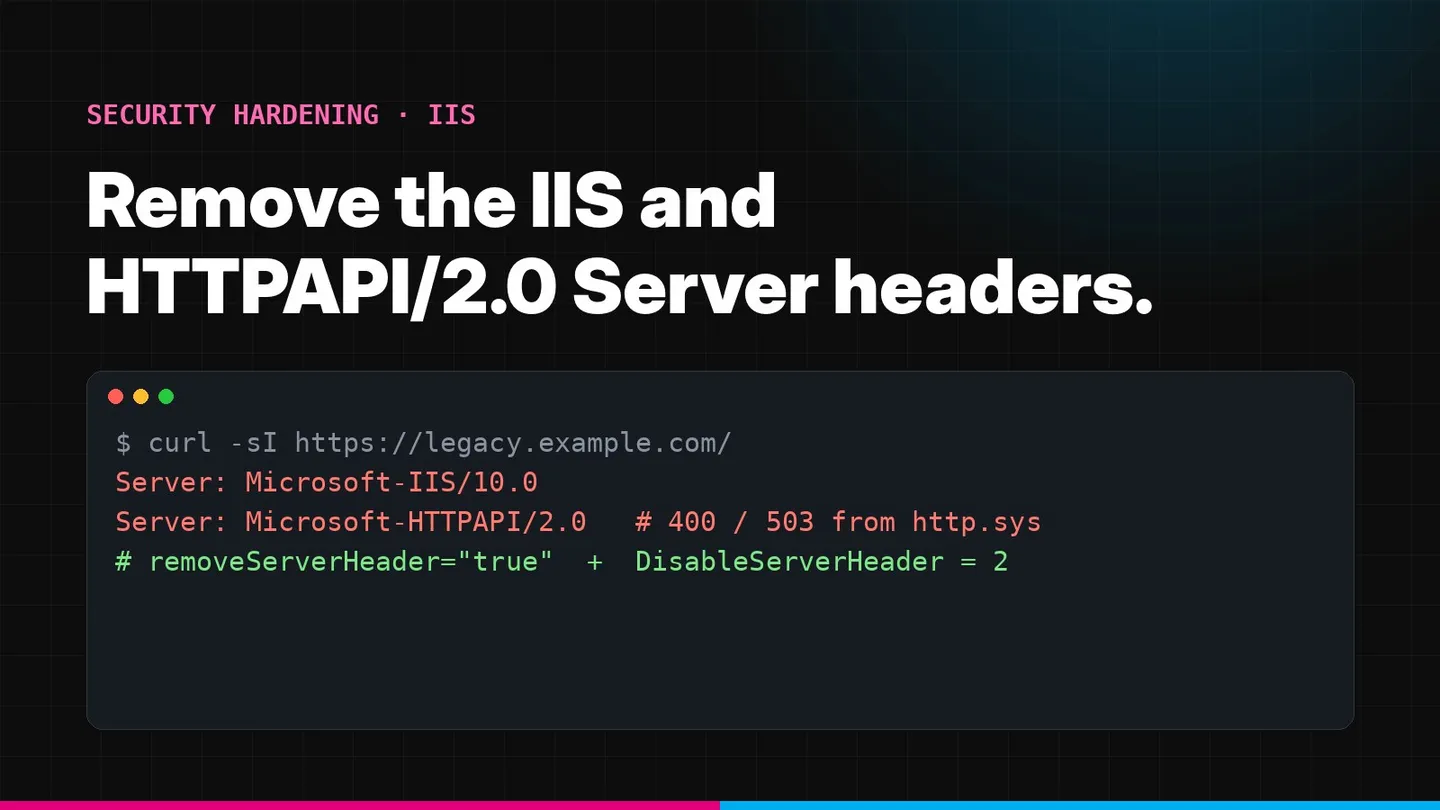
Server: Microsoft-IIS/10.0
X-Powered-By: ASP.NET
X-AspNet-Version: 4.0.30319
And when the tester sends a malformed request, or a request with a host name the server does not recognise, a second variant appears:
HTTP/1.1 400 Bad Request
Content-Type: text/html; charset=us-ascii
Server: Microsoft-HTTPAPI/2.0
Each of these headers is an information disclosure issue, normally rated informational to low. It tells anyone scanning the internet that you run IIS, roughly which Windows version, and that ASP.NET is in use. The OWASP Web Security Testing Guide treats web server fingerprinting as the first step of reconnaissance, because it tells an attacker which known weaknesses to try first.
Teams often fix the first header, see the second one in the re-test, and assume their fix failed. It did not. The two headers come from different layers of Windows, and each needs its own fix.
Where each header comes from
- Server: Microsoft-IIS/10.0
- Added by IIS for requests it processes. Removed with request filtering (IIS 10) or URL Rewrite (older IIS).
- Server: Microsoft-HTTPAPI/2.0
- Added by HTTP.sys for responses it generates itself, or when no Server header is provided. Removed with the DisableServerHeader registry value.
- X-Powered-By: ASP.NET
- A custom header defined in IIS configuration. Removed in customHeaders.
- X-AspNet-Version
- Added by ASP.NET on the .NET Framework. Removed with httpRuntime enableVersionHeader.
- X-AspNetMvc-Version
- Added by ASP.NET MVC 5 and earlier. Removed in Application_Start.
HTTP.sys is the kernel-mode HTTP listener in Windows. IIS sits on top of it, and so do other Windows components and self-hosted services. HTTP.sys answers some requests before IIS ever sees them: requests with invalid syntax, oversized headers or an unknown host name produce a 400, and requests for an application pool that is stopped or failing produce a 503. Those responses carry Microsoft-HTTPAPI/2.0. You will also see it on services that use HTTP.sys directly without IIS, such as WinRM on ports 5985 and 5986, Windows Admin Center, some WCF self-hosted services, SQL Server Reporting Services and ASP.NET Core applications hosted on the HTTP.sys server.
Step 1: Remove the IIS Server header (IIS 10)
On Windows Server 2019, Windows Server 2022, Windows Server 2025 and Windows Server version 1709 or later, IIS can suppress its own Server header through request filtering. Microsoft’s request filtering reference describes removeServerHeader: “If set to true, request filtering will suppress the IIS server header.” The default is false.
Set it for the whole server so every site inherits it:
# Run in an elevated PowerShell session
Import-Module WebAdministration
Set-WebConfigurationProperty -PSPath 'MACHINE/WEBROOT/APPHOST' `
  -Filter 'system.webServer/security/requestFiltering' `
  -Name 'removeServerHeader' -Value $true
Or with appcmd:
%windir%\system32\inetsrv\appcmd.exe set config -section:system.webServer/security/requestFiltering /removeServerHeader:true /commit:apphostOr per site in web.config:
<configuration>
  <system.webServer>
    <security>
      <requestFiltering removeServerHeader="true" />
    </security>
  </system.webServer>
</configuration>
In IIS Manager the same setting is under the server or site node, Request Filtering, Edit Feature Settings, Remove server header. No restart is needed; the change applies to the next request.
Step 2: Remove Microsoft-HTTPAPI/2.0 (HTTP.sys)
This header ignores everything in IIS configuration, because IIS is not involved in those responses. HTTP.sys reads its behaviour from the registry. Microsoft’s HTTP.sys registry reference documents the DisableServerHeader value:
0 (default)
DisableServerHeader = 0
HTTP.sys uses the Server header the application provides, or appends Microsoft-HTTPAPI/2.0.
1
DisableServerHeader = 1
HTTP.sys does not add the Server header to responses it generates itself, such as 400 and 503.
2 (recommended)
DisableServerHeader = 2
HTTP.sys never appends a Server header. A header set by the application is left as it is.
Set it to 2:
# Elevated PowerShell
New-ItemProperty -Path 'HKLM:\SYSTEM\CurrentControlSet\Services\HTTP\Parameters' `
  -Name 'DisableServerHeader' -PropertyType DWord -Value 2 -Force
Or with reg.exe:
reg add "HKLM\SYSTEM\CurrentControlSet\Services\HTTP\Parameters" /v DisableServerHeader /t REG_DWORD /d 2 /fMicrosoft notes that registry changes “will not take effect until you restart the HTTP service”. Stopping HTTP also stops the services that depend on it, including the Windows Process Activation Service and the World Wide Web Publishing Service, so restart them afterwards, or simply reboot during a maintenance window:
net stop http /y
net start http
net start was
net start w3svc
Plan for a short outage
Every site on the server stops while HTTP restarts, and so does anything else built on HTTP.sys, such as WinRM. Do it in a change window, and on clustered or load-balanced servers do one node at a time. If you manage servers with Group Policy, Ansible or DSC, add the registry value there so new servers are built with it.
Step 3: Remove X-Powered-By and the ASP.NET version headers
These headers are not added by HTTP.sys, so they need separate settings.
X-Powered-By: ASP.NET is a custom header inherited from the server configuration. Remove it server-wide:
Remove-WebConfigurationProperty -PSPath 'MACHINE/WEBROOT/APPHOST' `
  -Filter 'system.webServer/httpProtocol/customHeaders' `
  -Name '.' -AtElement @{ name = 'X-Powered-By' }
Or per site in web.config:
<system.webServer>
  <httpProtocol>
    <customHeaders>
      <remove name="X-Powered-By" />
    </customHeaders>
  </httpProtocol>
</system.webServer>
X-AspNet-Version comes from ASP.NET on the .NET Framework. Turn it off in the application’s web.config:
<system.web>
  <httpRuntime enableVersionHeader="false" />
</system.web>
X-AspNetMvc-Version comes from ASP.NET MVC. Disable it when the application starts:
// Global.asax.cs
protected void Application_Start()
{
    MvcHandler.DisableMvcResponseHeader = true;
    // existing startup code
}
Older IIS versions (8.5 and earlier)
On Windows Server 2012 R2 and earlier, removeServerHeader does not exist. The usual workaround is an outbound rule in the URL Rewrite module that blanks the header value:
<system.webServer>
  <rewrite>
    <outboundRules rewriteBeforeCache="true">
      <rule name="Blank Server header">
        <match serverVariable="RESPONSE_Server" pattern=".+" />
        <action type="Rewrite" value="" />
      </rule>
    </outboundRules>
  </rewrite>
</system.webServer>
This leaves an empty Server: header rather than removing it, which scanners treat as resolved. It only applies to responses that pass through IIS, so you still need the HTTP.sys registry value from step 2.
Windows Server 2012 R2 is out of support
If you are still applying this workaround, the bigger finding is the operating system. Windows Server 2012 and 2012 R2 reached end of extended support in October 2023 and no longer receive security updates without a paid Extended Security Updates subscription. Upgrading fixes the header problem and much more.
Stop HTTP.sys answering unknown host names
Removing the Server header from HTTP.sys responses is only half of the clean-up for unknown host names. The body of HTTP.sys’s own error page is also recognisable: a short HTML page headed “Bad Request - Invalid Hostname” with the text “HTTP Error 400. The request hostname is invalid.” Anyone who has tested Windows servers knows that page on sight, so it fingerprints the platform even without a header.
The fix is to make IIS, not HTTP.sys, answer those requests:
- Create a small catch-all site in IIS with a binding that has no host name on ports 80 and 443 (for HTTPS, use a certificate you are happy for anyone to see, or bind it only on the IPs that need it).
- Give it a static, unbranded 404 page and nothing else.
- Apply the same
removeServerHeaderandX-Powered-Bysettings to it, which happens automatically if you set them at server level as shown above. - Make sure your real sites use explicit host name bindings, so they are never served for unexpected host names.
Requests with unknown host names then reach IIS, which returns your neutral page with no version headers. HTTP.sys still answers truly malformed requests, which is why the DisableServerHeader registry value remains necessary.
Why unknown host names matter
Internet-wide scanners connect to IP addresses, not your domain names, so the response to an unknown host name is often the only thing they record about your server. It is worth making that response say as little as possible.
Check every server in your estate
Fixing one server by hand is easy. The finding usually comes back because a new server was built from an old image, or a configuration management run reset the setting. This PowerShell script reports both settings across a list of servers, so you can prove the fix is in place everywhere:
# Requires PowerShell remoting to the target servers
$servers = Get-Content .\iis-servers.txt

Invoke-Command -ComputerName $servers -ScriptBlock {
    Import-Module WebAdministration -ErrorAction SilentlyContinue
    $http = Get-ItemProperty 'HKLM:\SYSTEM\CurrentControlSet\Services\HTTP\Parameters' -ErrorAction SilentlyContinue
    $rf   = Get-WebConfigurationProperty -PSPath 'MACHINE/WEBROOT/APPHOST' `
              -Filter 'system.webServer/security/requestFiltering' -Name 'removeServerHeader' -ErrorAction SilentlyContinue
    $xpb  = Get-WebConfigurationProperty -PSPath 'MACHINE/WEBROOT/APPHOST' `
              -Filter "system.webServer/httpProtocol/customHeaders/add[@name='X-Powered-By']" -Name 'value' -ErrorAction SilentlyContinue
    [pscustomobject]@{
        Server              = $env:COMPUTERNAME
        DisableServerHeader = $http.DisableServerHeader
        RemoveServerHeader  = $rf.Value
        XPoweredByPresent   = [bool]$xpb
    }
} | Select-Object Server, DisableServerHeader, RemoveServerHeader, XPoweredByPresent | Format-Table -AutoSize
A healthy server shows DisableServerHeader as 2, RemoveServerHeader as True and XPoweredByPresent as False. Site-level web.config files can still override the server-level settings, which is why the external curl checks below remain the final word.
Microsoft products that run on IIS
Exchange Server (Outlook on the web), Active Directory Federation Services, SharePoint, Windows Server Update Services and Remote Desktop Web Access all run on IIS or HTTP.sys and appear in the same findings. The same two layers apply, but take extra care:
- Check the vendor’s guidance before changing IIS configuration on these products. Some product updates rewrite their
web.configfiles and can undo per-site changes, so server-level settings and the registry value are more durable. - Test after every cumulative update, because a product update can re-add headers.
- Prefer publishing these services through a reverse proxy or application gateway that strips version headers and limits which paths are exposed to the internet at all.
ASP.NET Core applications
How you remove the header depends on how the app is hosted:
- In IIS (in-process or out-of-process): the steps above apply. IIS and HTTP.sys add the headers, not your code.
- Kestrel behind a reverse proxy: Kestrel adds
Server: Kestrel. Turn it off in code and remove any header your proxy adds. - HTTP.sys server (
UseHttpSys): the registry value from step 2 applies, because the app is hosted directly on HTTP.sys.
For Kestrel:
var builder = WebApplication.CreateBuilder(args);
builder.WebHost.ConfigureKestrel(options => options.AddServerHeader = false);
Azure and load balancers in front of IIS
If IIS sits behind Azure Application Gateway, Azure Front Door, a hardware load balancer or a CDN, check the response at the edge as well. Some of these add their own Server header, and some pass through whatever IIS sends. The header a scanner sees is the one at the public edge. If your IIS servers are behind an AWS Application Load Balancer, the load balancer also adds its own header; our guide to removing the AWS ALB server header covers that.
Verify the fix
Test both a normal request and requests that HTTP.sys answers itself. A malformed request is the easiest way to make HTTP.sys reply directly:
# 1. Normal request: no Server, X-Powered-By or X-AspNet* headers
curl -sI https://legacy.example.com/ | grep -iE '^(server|x-powered-by|x-aspnet)'

# 2. Unknown host name: answered by HTTP.sys when no site binding matches
curl -sI https://legacy.example.com/ -H "Host: not-a-real-site.invalid" -k | grep -i '^server'

# 3. Malformed request, also answered by HTTP.sys
printf 'GET / HTTP/1.1\r\nHost: legacy.example.com\r\nBad Header Line\r\n\r\n' \
  | timeout 5 openssl s_client -quiet -connect legacy.example.com:443 2>/dev/null | grep -i '^server'
From Windows, PowerShell gives the same answer for normal requests:
(Invoke-WebRequest -Uri 'https://legacy.example.com/' -Method Head -UseBasicParsing).HeadersDone when
None of the three tests prints a Server header, and normal responses carry no X-Powered-By, X-AspNet-Version or X-AspNetMvc-Version. If test 1 still shows Microsoft-IIS, check whether a site-level web.config overrides request filtering. If tests 2 or 3 still show Microsoft-HTTPAPI/2.0, the HTTP service has not been restarted since the registry change.
The rest of your IIS hardening checklist
While you have a change window open, these are the IIS findings we see most often after the Server header:
- Turn off detailed error pages for remote users (
httpErrors errorMode="DetailedLocalOnly"orCustom) so stack traces are never shown. - Disable directory browsing unless a site genuinely needs it.
- Disable TLS 1.0, TLS 1.1 and weak cipher suites at the Windows SChannel level, and enable HTTP Strict Transport Security on HTTPS sites.
- Add
X-Content-Type-Options: nosniff, aContent-Security-Policyand aReferrer-Policyas custom headers. - Set session cookies with
Secure,HttpOnlyand an explicitSameSitevalue; our guide to secure cookie flags explains which to choose. - Remove the default IIS start page and sample applications, and make sure WebDAV is not installed unless it is used.
- Run each site in its own application pool with the default
ApplicationPoolIdentity, not a domain account. - Keep Windows and .NET patched; information disclosure findings matter more when the versions they reveal are out of date.
Does hiding the Server header actually make you safer?
It is a fair question, and the honest answer is: a little, and mostly indirectly.
Removing version headers does not fix any vulnerability. A skilled attacker can still identify IIS from the shape of error pages, the order of response headers, cookie names such as ASP.NET_SessionId, .aspx URLs and how the server handles unusual requests. If your server is missing patches, hiding its name does not make it patched.
What it does change:
- It removes you from the easy lists. Mass exploitation campaigns and internet-wide scanners often search for exact version strings. A server that does not announce
Microsoft-IIS/8.5is not on the list of targets pulled from those searches. - It raises the cost of reconnaissance. Every fact an attacker has to work out, rather than read from a header, takes time and makes noise that your monitoring may catch.
- It closes a finding that auditors and customers check. Version disclosure is one of the first items in vendor security questionnaires and external scans. Leaving it open signals that basic hardening has not been done, which invites closer scrutiny of everything else.
- It is a good health check. If you cannot easily change a header across your IIS estate, you will struggle with more important configuration changes too. Getting the tooling in place for this small fix pays off later.
The right way to think about it: remove the headers because it is cheap and expected, and spend the real effort on patching, TLS configuration, authentication and the application itself. That is where penetration tests find the issues that matter.
Why it matters for audits
Version disclosure is a small finding, but it is visible in every external scan and it appears in enterprise security questionnaires and supplier assessments. For SOC 2 and ISO 27001 assessments, it is evidence of whether server hardening is actually applied, which is why it is worth closing before a re-test rather than accepting it as a risk.
Re-testing your Windows estate?
Summit’s network VAPT and web application VAPT cover IIS, HTTP.sys services such as WinRM and Reporting Services, and the TLS configuration in front of them. Every engagement includes a re-test so you can show the finding is closed.
Frequently asked questions
Why do I still see Server: Microsoft-HTTPAPI/2.0 after setting removeServerHeader?
Because that header is added by HTTP.sys, the Windows kernel-mode HTTP listener, not by IIS. HTTP.sys answers some requests itself, such as malformed requests, unknown host names and requests that arrive while an application pool is stopped. Set the DisableServerHeader registry value to 2 and restart the HTTP service to remove it.
Does removeServerHeader work on Windows Server 2012 R2 or 2016?
No. Microsoft documents that the attribute was added in IIS 10.0 and does not work before Windows Server version 1709 or Windows 10 version 1709. On older versions, blank the header with a URL Rewrite outbound rule or a small managed module.
Is removing the Server header enough to hide that I run IIS?
No. A determined attacker can still fingerprint the server from error pages, header order, cookie names such as ASP.NET_SessionId and file extensions. Removing version headers is still worth doing because it stops automated scanners and casual reconnaissance, and it is a standard VAPT and audit finding.
Will changing DisableServerHeader cause downtime?
Restarting the HTTP service stops every service that depends on it, including IIS (W3SVC and WAS), so plan a short maintenance window or reboot the server during one.
What value should DisableServerHeader be set to?
Use 2. According to Microsoft, 1 only stops HTTP.sys adding the header to responses it generates itself, while 2 stops HTTP.sys appending a Server header to any response. A header your application or IIS sets explicitly is not removed, which is why you also need removeServerHeader.