On this page
- What happened in the Microsoft outage on 12 November 2026?
- Which Microsoft services were affected?
- What caused the Microsoft outage?
- Was the Microsoft outage a cyberattack or a DDoS attack?
- How big was the impact of the Microsoft outage?
- Is the November outage part of a pattern?
- Why does a cascading failure look like a DDoS attack?
- How can organisations stay resilient during a Microsoft 365 outage?
- How can you protect your own services from DDoS and overload?
- What is a DDoS resilience assessment, and what does it test?
- How Sumrite helps
- Frequently asked questions
Worried your own services would fall over the same way? Run the free scan at scan.sumrite.com for a first look at your internet-facing exposure, or talk to us about a DDoS resilience assessment.
This is the fourth significant Microsoft 365 or Azure incident of 2026, and the widest. It stopped court hearings, delayed prescriptions and cut off government email on several continents. Below is what is confirmed, what is still unclear, why the failure looked like a DDoS attack, and what you can do so the next one costs you less. Facts are as of 14 November 2026; Microsoft has promised a full post-incident review, and we will update this page when it is published.
What happened in the Microsoft outage on 12 November 2026?
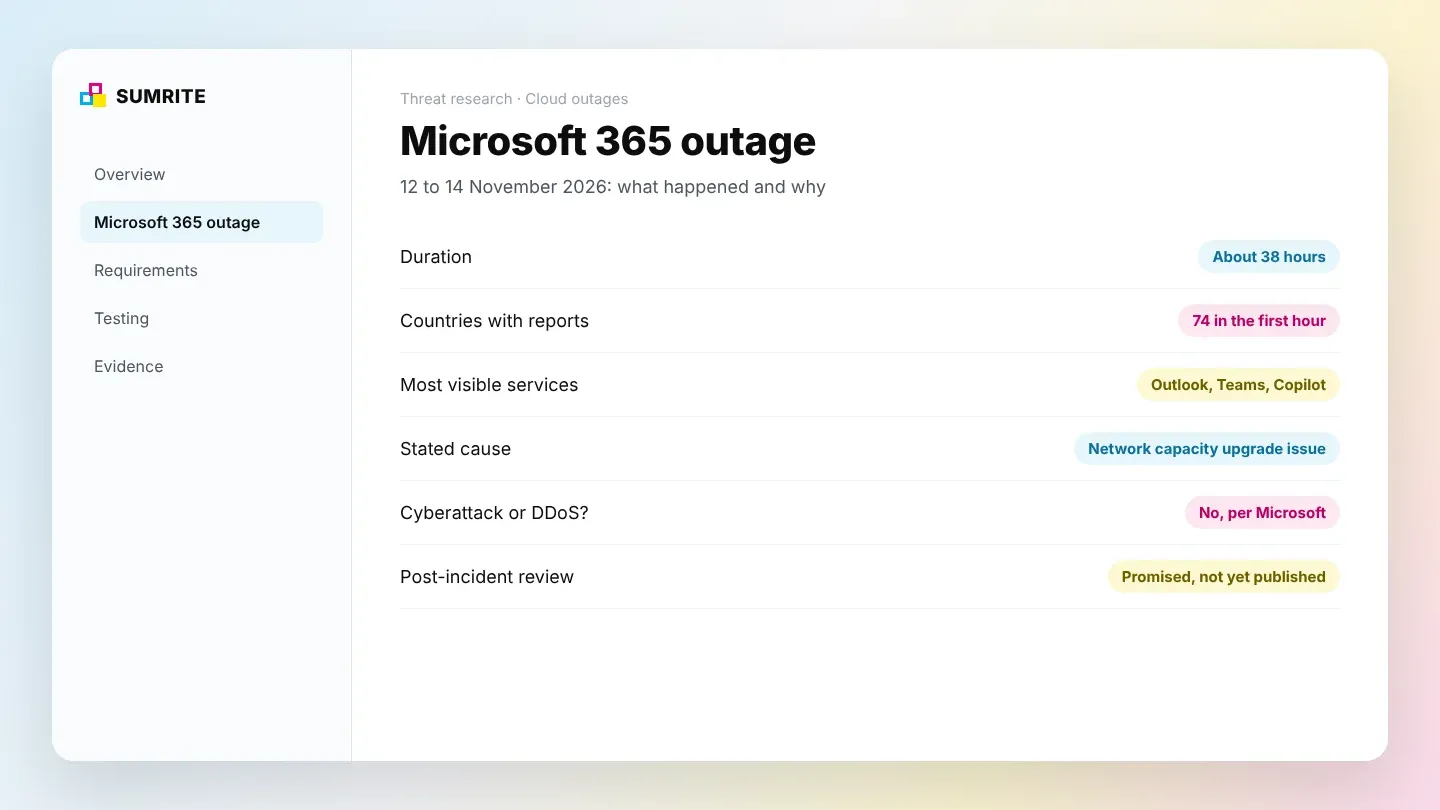
Microsoft 365 failed for users worldwide for about 38 hours after servers in its network dropped out of service and the remaining servers were overwhelmed. Email stopped sending and receiving, Teams and Copilot failed to connect, and mail queued for more than a day before delivery caught up.
The timeline below uses Microsoft’s own status updates as reported by TechRadar’s live coverage, Al Jazeera and the Associated Press. All times are UTC.
| Time (UTC) | What happened |
|---|---|
| 12 Nov, 16:17 | Exchange Online incident EX1550543 starts; users report Outlook failures from about 16:00 |
| 12 Nov, 18:26 | Microsoft opens suite-wide incident MO1550821: users “may be unable to connect to multiple Microsoft 365 services”, citing “elevated load across multiple regions” |
| 12 Nov, 19:06 | Microsoft pauses deployments and configuration changes |
| 12 Nov, 22:00 | Microsoft says “a core process on the affected servers is becoming overwhelmed” and isolates part of the infrastructure |
| 13 Nov, 01:06 | Microsoft begins reverting a network configuration change |
| 13 Nov, 11:41 | Microsoft extends the email timeout window to 48 hours so queued mail is not lost |
| 13 Nov, ~16:40 | Microsoft states the cause and apologises |
| 14 Nov, ~06:09 | Microsoft: “restored service to the remaining impacted customers and regions” |
The total duration of about 37 hours 52 minutes is our calculation from the first incident start (16:17 UTC on 12 November) to the restoration notice (about 06:09 UTC on 14 November). Outlets quote figures from 18 to 38 hours because many users recovered well before the final notice. Network monitoring firm Kentik, quoted by TechCrunch, saw Microsoft’s traffic return after about 18 hours.
Which Microsoft services were affected?
The most visible failures were Outlook and Exchange Online, Microsoft Teams and Microsoft 365 Copilot, but Microsoft’s incident covered much of the Microsoft 365 suite. Exchange access failed across Outlook on the web and the desktop and mobile protocols, and inbound and outbound mail was delayed.
- Communication
- Outlook and Exchange Online, Microsoft Teams, Viva Engage
- Productivity and data
- SharePoint Online, Microsoft Graph, Planner, To Do, Power BI, Fabric, Power Apps
- AI
- Microsoft 365 Copilot
- Security and management
- Defender for Office 365, Defender XDR, Purview, Intune, Microsoft 365 admin centres
- Other
- Windows 365, Universal Print, Microsoft 365 Education
Microsoft first described the problem as affecting the Americas, then said it “may affect Microsoft 365 service connectivity for users in any region”, according to ABC News. Downdetector received reports from 74 countries and territories within the first hour (AP).
Two points to be careful with. Downdetector also showed spikes for Azure, Xbox, GitHub and LinkedIn, but Microsoft’s own status text did not name Azure or those services, so reports of a wider “Azure outage” are not confirmed. And AI companies including OpenAI and Anthropic reported problems only with their connections to Microsoft 365 tools, not outages of their own services (AP).
What caused the Microsoft outage?
Microsoft says the outage “was introduced by an issue during an earlier network capacity upgrade that surfaced following a recent network change.” That statement, posted on 13 November and quoted by AP and Forbes, is the only official root cause so far.
Microsoft’s updates during the incident describe the mechanism:
- Servers failed automated health checks. Microsoft said its investigation indicated “the failed health checks may originate from a specific component”.
- Failed servers left the pool. Microsoft said the elevated load “isn’t driven by an increase in traffic” but by servers that were “unexpectedly unavailable” (Al Jazeera).
- Traffic shifted to the survivors. The remaining servers took the load the failed ones would normally carry.
- A core process was overwhelmed. Microsoft reported that “a core process on the affected servers is becoming overwhelmed”, including a process handling secure connections.
- Recovery took a revert, a patch and capacity work. Microsoft reverted a network configuration change, applied an upstream patch, validated an alternative health-check method and returned servers to service in stages.
Two details remain unresolved. At 20:55 UTC on 12 November, Microsoft said it had found no recent change correlated with the start of the problem, which sits uneasily with the later “recent network change” explanation (TechRadar). And Australia’s Home Affairs Minister said Microsoft had described it as “an update that has gone awry” (Al Jazeera). Microsoft has promised a full post-incident review covering the root cause and the defence-in-depth actions it will take, but had not published one as of 14 November 2026.
Was the Microsoft outage a cyberattack or a DDoS attack?
No. Microsoft said it “was a technical issue not related to cyber or AI / agents”, and found “no evidence of malicious activity associated with this incident.” Charles Lamanna, Microsoft executive vice president, said there was “no indication this is the result of malicious or cyber activity” (ABC News).
It is easy to see why many people assumed a DDoS (distributed denial-of-service) attack. From the outside, the symptoms were identical: services unreachable, timeouts, overloaded servers, recovery in waves. The difference is where the load came from. In a DDoS attack, hostile traffic floods the service. In this outage, the service lost part of its own capacity and normal traffic was enough to overwhelm what was left.
Microsoft has been through the other version too. On 30 July 2024, a DDoS attack triggered an outage of Azure Front Door and Azure CDN that lasted about eight hours. Microsoft’s review said “an error in the implementation of our defenses amplified the impact of the attack rather than mitigating it” (The Register, Dark Reading). That incident is the clearest public example of why DDoS defences need to be tested, not just switched on.
How big was the impact of the Microsoft outage?
Downdetector logged more than 130,000 US reports for Outlook at the peak, governments on several continents lost email, and one economist estimated US$7 billion in lost productivity. Microsoft has not said how many users were affected; more than 430 million people use Microsoft 365 apps, according to AP.
Governments
Government users in Japan, Singapore, Australia, Greece and Norway were affected (AP). Australia's intelligence agency and federal police were among them (Al Jazeera), and the UK government said it was working closely with Microsoft.
Courts and policing
A trial in Manchester was halted and UK police could not receive online crime reports. The Philippine Supreme Court was also affected (AP, Al Jazeera).
Healthcare
The UK National Pharmacy Association warned of possible prescription delays for NHS patients and pharmacies (AP).
Finance and travel
Some Hong Kong banks were affected (AP). In India, email customer support at IndiGo, Air India and Akasa Air was disrupted; flight operations were not reported affected (PTI).
On cost, Michigan-based Anderson Economic Group estimated about US$7 billion in lost productivity, as reported by CNN and cited by Security Magazine; the method has not been published. In Australia, RSM’s Ashwin Pal estimated “billions of dollars” in losses for local businesses (ABC Australia). Treat both as estimates, not measurements.
Downdetector figures also vary by outlet and time: TechRadar and AP report more than 130,000 US Outlook reports at peak, while Forbes recorded a peak of 48,124 at 18:21 UTC. The variation reflects different snapshots, not a dispute about scale.
Is the November outage part of a pattern?
Yes. It was at least the fourth significant Microsoft 365 or Azure incident of 2026, and like most of them it was caused by a change, maintenance or configuration problem rather than an attack.
| Date | Incident | Stated cause |
|---|---|---|
| 22 Jan 2026 | Microsoft 365, North America, about 10 hours | Infrastructure “not processing traffic as expected” (The Register) |
| 23 Jul 2026 | Azure West US and Microsoft 365 | “A bug in the request conversion system incorrectly marked additional network devices as part of the maintenance event” (BleepingComputer) |
| 31 Aug to 3 Sep 2026 | Exchange Online | “Core authentication configuration issues” (BleepingComputer) |
| 12 to 14 Nov 2026 | Microsoft 365, global, about 38 hours | Network capacity upgrade issue surfaced by a later network change |
Earlier precedents point the same way. The 29 October 2025 Azure Front Door outage came from configuration changes that “produced incompatible metadata”, as described in Microsoft’s own engineering post. The 19 July 2024 CrowdStrike incident, which crashed about 8.5 million Windows devices by Microsoft’s estimate, came from a faulty third-party security update (TechCrunch).
The pattern matters for planning. The most likely cause of your next major disruption is not an attacker; it is a change somewhere in your supply chain. Your resilience plan has to cover both.
Why does a cascading failure look like a DDoS attack?
Because both end in the same place: more work arriving than the remaining capacity can handle. A cascading failure starts inside the system and a DDoS starts outside, but the servers experience the same overload.
In a cascading failure, a few nodes fail, the load balancer moves their traffic to the healthy nodes, those nodes slow down or fail their own health checks, and the cycle repeats. Health checks that are too strict can make it worse, by pulling servers that are merely slow out of rotation and pushing even more load onto the rest. That is consistent with what Microsoft described, including its decision to validate “an alternative service health check method”.
The defences overlap too. The design choices that stop a DDoS from taking you down also stop a cascade:
- Headroom and autoscaling so losing a share of capacity does not tip the rest over;
- Load shedding and rate limiting so the service rejects excess requests cheaply instead of collapsing;
- Health checks that distinguish slow from dead, so a struggling pool is not drained;
- Circuit breakers and backoff so clients and dependent services stop hammering a failing component;
- Staged rollouts and fast rollback so a bad change hits a small slice first.
This is why we test overload resilience and DDoS resilience together.
How can organisations stay resilient during a Microsoft 365 outage?
You cannot fix Microsoft’s infrastructure, but you can make sure a Microsoft 365 outage does not stop your business. The organisations that coped best on 12 November already knew which processes depended on Outlook and Teams, and had another way to run them.
- Map which business processes depend on Microsoft 365, including approvals, customer support, alerts and identity sign-in
- Keep an out-of-band communication channel for staff and incident teams that does not depend on Microsoft 365
- Keep offline copies of critical contacts, runbooks and escalation trees
- Monitor Microsoft 365 Service health and the @MSFT365Status account, and route incident IDs to your IT team automatically
- Tell customers early through a status page or website banner that is not hosted on the affected platform
- Check that security tooling hosted in Microsoft 365, such as Defender and Purview alerts, has a fallback during an outage
- Run a provider-outage tabletop exercise at least once a year, and record what broke
- Review your contracts and service credits, and for regulated firms, how the outage fits your third-party ICT risk obligations
For regulated financial entities in the EU, concentration on a single ICT provider is now a supervisory topic under DORA; our guide to DORA testing covers the resilience testing side. Essential and important entities under NIS2 face similar expectations on business continuity.
How can you protect your own services from DDoS and overload?
Put layer 3 and 4 DDoS protection and a layer 7 web application firewall in front of every public service, hide your origin servers, and design the service to shed load instead of collapsing. Then test that it actually works.
The threat is growing. Microsoft reported mitigating a 15.72 Tbps attack against a single Azure endpoint in Australia on 24 October 2025, which it called “the largest DDoS attack ever observed in the cloud” (Microsoft Tech Community). Cloudflare reported a 31.4 Tbps attack in late 2025 and 47.1 million DDoS attacks over the year, up 121% (Cloudflare 2025 Q4 report). In Q3 2026 alone, Cloudflare mitigated 18.2 million network-layer attacks (Cloudflare 2026 Q3 report).
| Layer | What protects it | Common gap we find |
|---|---|---|
| Network (L3/L4) | Cloud DDoS protection such as Azure DDoS Protection, or a scrubbing provider | Public IPs left on the basic tier, or new IPs never added to the protection plan |
| Application (L7) | Web application firewall and CDN with rate limiting and bot rules | WAF in detection-only mode, or no per-endpoint rate limits on login, search and APIs |
| Origin | Origin locked to the CDN or WAF; origin IP not exposed | Origin reachable directly through old DNS records, subdomains or email headers |
| Application design | Autoscaling, caching, load shedding, timeouts, circuit breakers | Expensive endpoints that one request can overload; retries that multiply load |
| Operations | Monitoring, alert thresholds, an incident runbook, a provider escalation path | No one knows how to engage the DDoS provider’s rapid response team at 3 a.m. |
Microsoft’s own documentation makes the layer split explicit: Azure DDoS Protection “protects at layer 3 and layer 4… For web applications protection at layer 7, you need to add protection at the application layer using a WAF offering.” Its Well-Architected reliability principles set the wider design goals: design for resilience, design for recovery and keep it simple. Our guide to cloud penetration testing on AWS, Azure and GCP covers the configuration side.
What is a DDoS resilience assessment, and what does it test?
A DDoS resilience assessment checks whether your public services stay available under attack or overload, by reviewing the protections, finding the weak points an attacker would target and, where permitted, running a controlled simulation. It answers one question: if 10 times your normal traffic arrived tomorrow, what would fail first?
- Map the attack surface. Every public IP, domain, API and origin, including forgotten subdomains and staging hosts that bypass the CDN.
- Review the protection configuration. DDoS protection tiers and coverage, WAF mode and rules, rate limits, bot management, CDN caching and origin lock-down.
- Find the expensive requests. Endpoints such as search, login, report generation and file upload, where a small number of requests can exhaust the application.
- Check the failure behaviour. Health checks, autoscaling limits, timeouts, retries and circuit breakers, which decide whether a spike becomes an outage.
- Test the response. Alerting thresholds, the runbook, and how fast the team can engage the DDoS provider.
- Simulate, within the rules. Controlled load and attack simulation run only where the cloud provider permits it and through the channels it requires.
- Report and retest. Prioritised findings with fixes, and a retest once they are in place.
DDoS testing has strict rules on public clouds
Microsoft’s penetration testing rules prohibit “Denial of Service (DoS) testing of any kind” against Azure, and DDoS attacks “are strictly prohibited under all circumstances”. To test DDoS resilience on Azure, Microsoft requires its approved simulation testing partners, and only against public IPs in your own subscription that are protected by Azure DDoS Protection (Microsoft Learn). Other cloud and hosting providers have their own policies. Never let anyone run unannounced flood tests against your production estate.
How Sumrite helps
Sumrite runs DDoS and overload resilience assessments as part of our cloud security assessment and network VAPT work. We map your internet-facing attack surface, review DDoS protection, WAF, rate limiting and origin exposure, test your web applications and APIs for the expensive requests that exhaust them, and check how your architecture behaves when capacity is lost. Where a live simulation is needed, we scope it within your provider’s rules and run it through the approved route, then work through the results with your team. Every engagement ends with prioritised fixes and a retest.
The November outage was not an attack, but the next disruption to your own services might be. Find out where your services break before an attacker or a bad change does.
Book a DDoS resilience assessment
Tell us which services must stay up and where they are hosted. We will scope an assessment that fits your provider’s testing rules. Book a scoping call or run the free scan first.
Related reading: Cloud penetration testing on AWS, Azure and GCP · DORA TLPT vs penetration testing · Red team vs penetration testing · How often should you run a penetration test?
Frequently asked questions
What caused the Microsoft outage in November 2026?
Microsoft said the 12 November 2026 Microsoft 365 outage 'was introduced by an issue during an earlier network capacity upgrade that surfaced following a recent network change.' Servers failed health checks and dropped out, traffic shifted to the remaining servers, and a core process on those servers was overwhelmed. Microsoft has promised a full post-incident review but had not published one as of 14 November 2026.
Was the Microsoft outage a DDoS or cyberattack?
No. Microsoft said the November 2026 outage 'was a technical issue not related to cyber or AI / agents', and executive vice president Charles Lamanna said there was 'no indication this is the result of malicious or cyber activity.' The outage looked like a DDoS from the outside because overloaded servers fail in the same way, but the load came from Microsoft's own infrastructure, not attack traffic.
How long did the Microsoft outage last?
About 38 hours. The Exchange Online incident started at 16:17 UTC on 12 November 2026, and Microsoft said it had restored service to the remaining impacted customers and regions at about 06:09 UTC on 14 November 2026. Most users saw recovery earlier, on 13 November, as email queues cleared.
Which Microsoft services were affected?
Outlook and Exchange Online, Microsoft Teams and Microsoft 365 Copilot were the most visible. Microsoft's service health incident also listed SharePoint Online, Microsoft Graph, Defender, Purview, Intune, Power BI, Planner, Windows 365 and the Microsoft 365 admin centres. Users reported problems in at least 74 countries.
How can a business stay safe from outages like this?
You cannot prevent a provider's outage, but you can limit its impact. Map which business processes depend on Microsoft 365, keep an out-of-band communication channel and offline copies of critical contacts and runbooks, rehearse a provider-outage scenario, and test your own internet-facing services for DDoS and overload resilience so your systems do not fail the same way.
Faisal Khan is a Director at Sumrite, where he oversees penetration testing, risk assessment and compliance engagements for SaaS and enterprise clients. Case studies are anonymised and published with client permission.